Accounting and GST
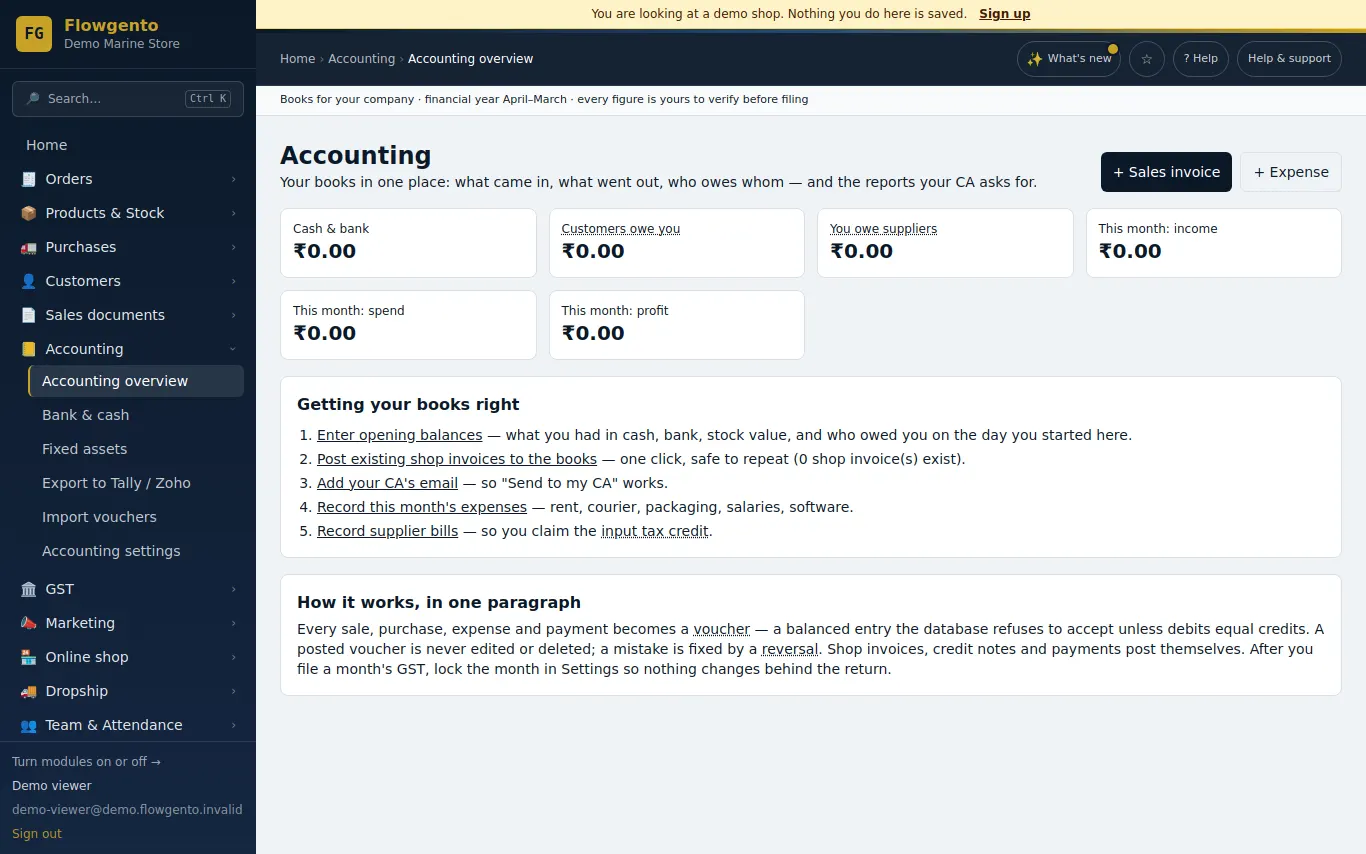
Your shop's invoices, credit notes and payments post into the books by themselves. You record the rest — offline sales, supplier bills, expenses and money moving between cash and bank.
How it works
- Your shop's invoices, credit notes and payments post into the books by themselves.
- Record offline sales, supplier bills, expenses and money moving between cash and bank.
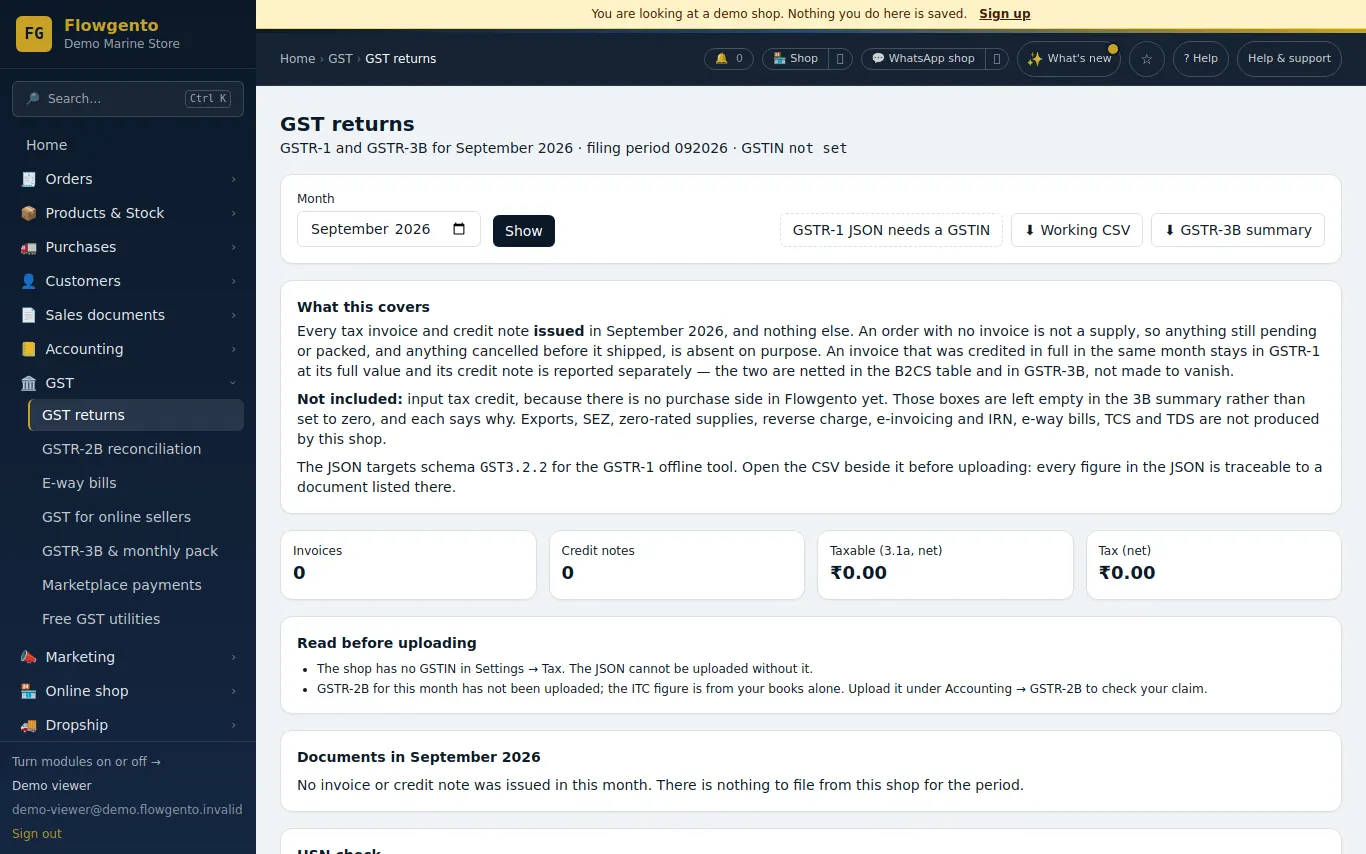
- Each month, download GSTR-1 and the GSTR-3B summary, and match GSTR-2B to your purchase bills.
- Send your CA one pack, or export to Tally, Zoho, Busy, Marg or Vyapar.
Books
- Every entry is double-entry and balanced; a posted entry is never edited or deleted, and a filed month can be locked.
- Expenses with the receipt, GST and a monthly repeat; receipts and payments, full or partial, against specific invoices.
- Bank and cash balances, transfers, and ticking entries against the bank statement.
- Fixed assets with yearly depreciation at income-tax block rates.
- Day book, ledgers, trial balance, profit and loss, balance sheet, ageing and registers — with dates and Excel download.
GST
- GST invoices and credit notes with CGST/SGST or IGST by place of supply.
- GSTR-1 and GSTR-3B exports every month.
- GSTR-2B reconciliation: upload the portal's file and match it to your purchase bills.
- E-way bills: Flowgento prepares the portal's bulk file from the invoice; you upload it on the portal and record the number. Expiry reminders by email.
Your CA
- "Send to my CA": one zip for a month or quarter with the GSTR-1 JSON, GSTR-3B summary, registers, P&L, trial balance and every invoice, emailed as a 7-day link.
- Import-ready exports for Tally, Zoho, Busy, Marg and Vyapar, plus a generic pack.
See it in the demo shop
A read-only seller panel with invented data, reset every night.
Questions sellers ask
- Do I need to know accounting?
- No. Most entries are made for you from sales and purchases; the reports are ready to read and to download.
- Can my CA keep using Tally?
- Yes. Accounting → Export builds a Tally Prime file (and Zoho, Busy, Marg and Vyapar files) from the same books.
- Does Flowgento file my GST returns?
- No. It prepares the GSTR-1 JSON and the GSTR-3B figures; you or your CA upload and file them on the GST portal.
- Can a filed month be changed by mistake?
- A month can be locked once it is filed, and a posted entry is never edited or deleted.
Selling on marketplaces too? Make one GSTR-1 from your Amazon, Flipkart and Meesho reports.
How it works, step by step
- Accounting — getting started
What the Accounting module is, how the books work in plain words, and the first four things to do.
- Invoices, credit notes and GST returns
The GST invoice is raised when you mark an order shipped; refunds raise credit notes; export GSTR-1 and 3B monthly.
- GSTR-2B reconciliation
Upload the portal's GSTR-2B for a month and match it to your purchase bills, so you claim exactly the input tax credit you are allowed.
- E-way bills
For goods moving on an invoice of ₹50,000 or more — transport details, the portal's bulk file, the number back, printing and expiry reminders.
- Send to my CA
One zip for a month or quarter — GSTR-1 JSON, GSTR-3B summary, registers, P&L, trial balance, every invoice — emailed as a 7-day link.
- Export to Tally, Zoho, Busy, Marg, Vyapar — and import back
Import-ready files from your ledger for a date range, how to import each, and the generic pack any CA accepts; plus the import screen that reads a journal CSV back.