Team permissions and the attendance kiosk
Staff can do nothing until you tick what they may see or do. Attendance is clocked on a device you pair once.
How it works
- Invite a staff member with a one-time link.
- Tick what they may see or do — orders, fulfilment, counter billing, expenses and more.
- Pair a tablet or PC as the kiosk once; staff clock in and out with their own PIN.
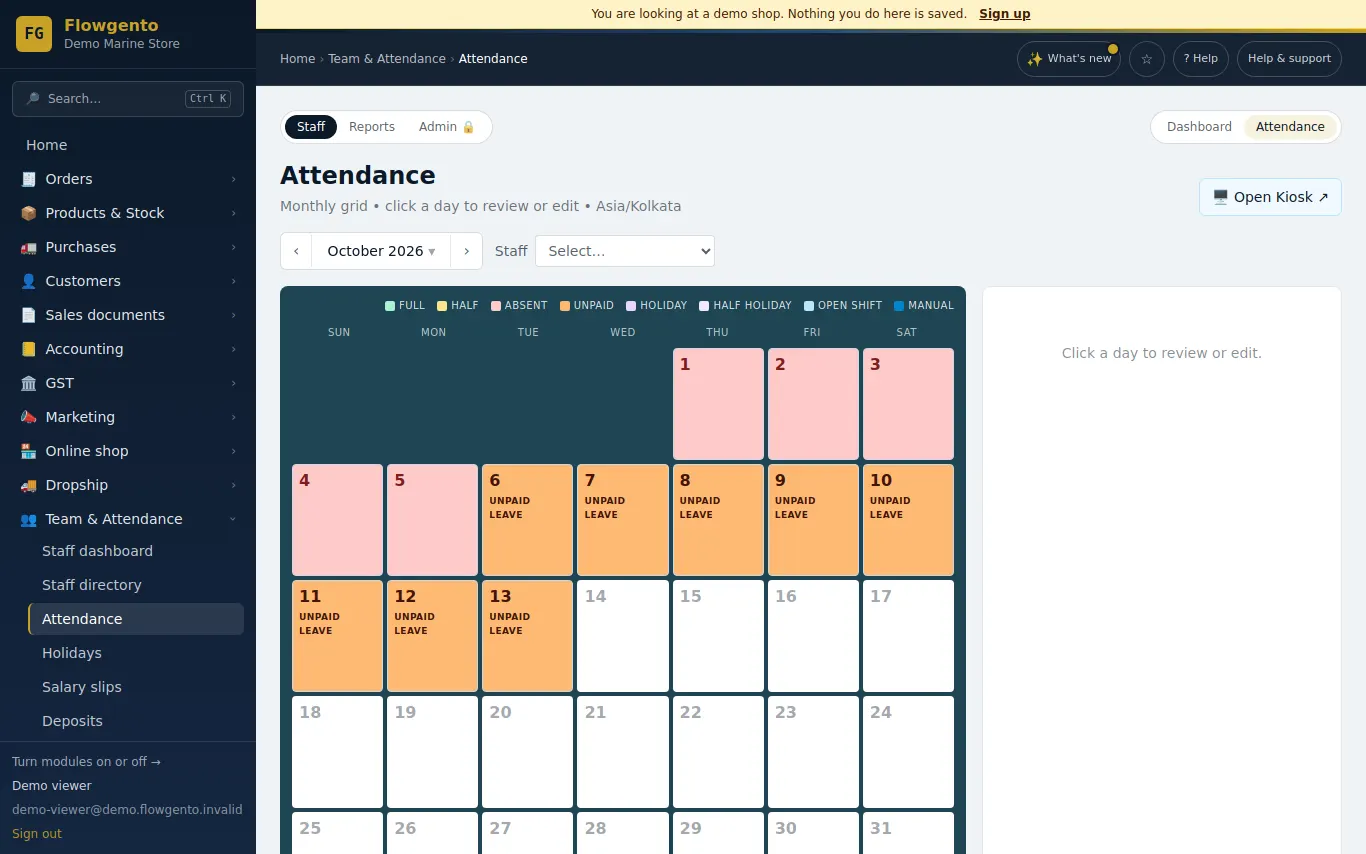
- Read the attendance calendar and monthly report, and download it as CSV or Excel.
Team
- Invite staff with a one-time link — emailed to them, or shared by you on WhatsApp.
- Grant access per module and per action — see orders, fulfil orders, record expenses, bill at the counter and more.
- Payment keys, API keys, the WhatsApp connection, refunds, team and settings always stay with the shop's admin.
- A change applies on the staff member's next click.
Attendance
- Pair a tablet or PC as the kiosk with a one-time code; staff clock in and out with their PIN.
- An attendance calendar, holidays, and date-range and monthly reports with CSV / Excel export.
- Corrections need a reason and always keep the original entry.
- Daily checklists on the kiosk, and tasks for staff.
See it in the demo shop
A read-only seller panel with invented data, reset every night.
Questions sellers ask
- What can staff never do?
- Payment keys, API keys, the WhatsApp connection, refunds, team management and settings always stay with the shop's admin.
- Can someone clock in from home?
- Only on a device you have paired as the kiosk.
- Can attendance be corrected?
- Yes, with a reason; the original entry is always kept.
- How many staff can I add?
- It depends on the plan — see the limits on the pricing page.
How it works, step by step
- Staff, attendance and the kiosk
Add staff with a PIN, pair the kiosk device, read the attendance calendar, set holidays.
- Team and staff permissions
Invite staff by email or WhatsApp; they can do nothing until you tick what they may see or do.
- Promotion — give work, track it, see results
Projects, tasks for staff, the /work screen on a paired device, weekly review.