Export your books to Tally, Zoho, Busy, Marg or Vyapar
Your CA may keep the books in Tally or another package. Flowgento builds an import-ready file from the same ledger, for the dates you pick, and shows a preview first.
How it works
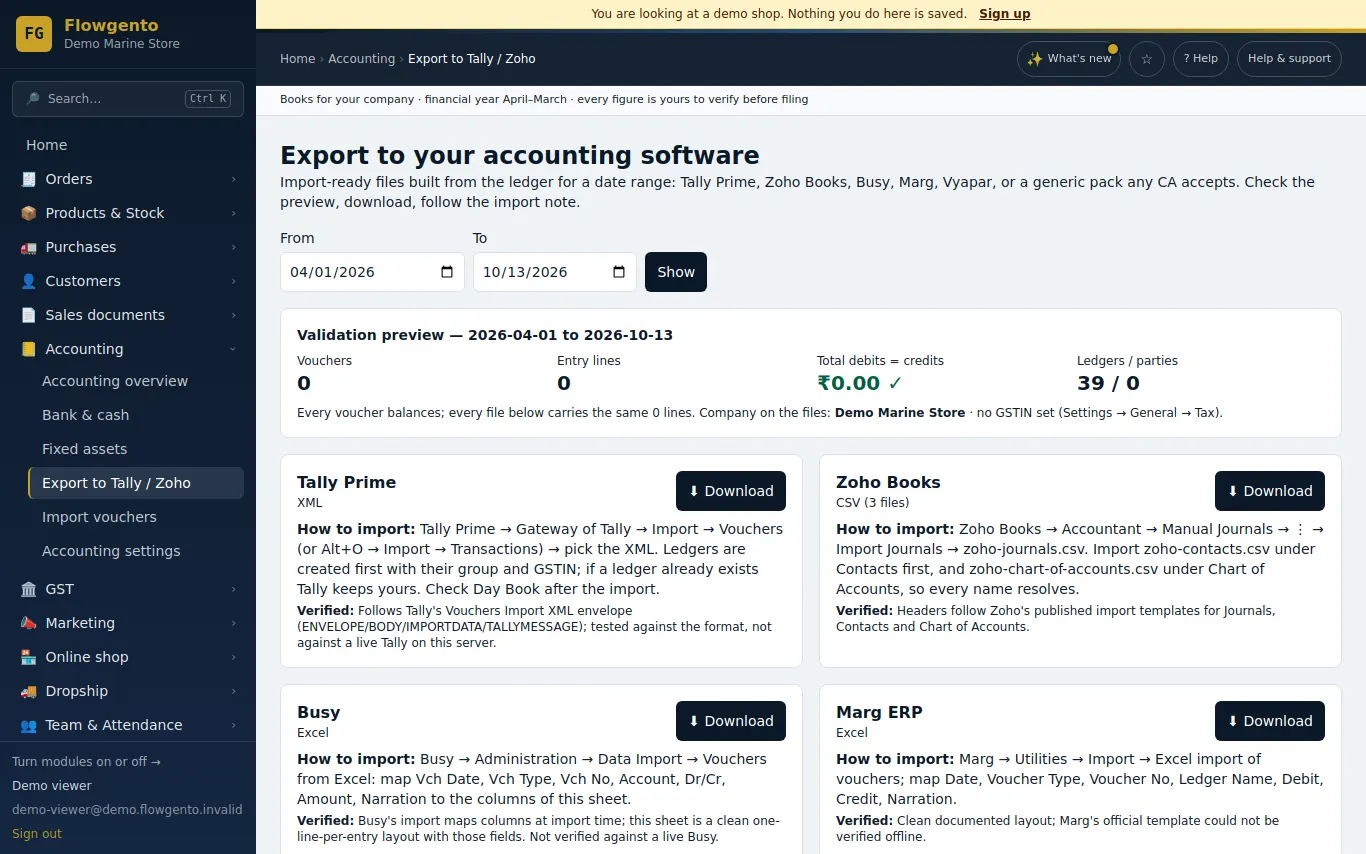
- Open Accounting → Export.
- Pick the package and the dates.
- Check the preview: vouchers, lines, and debits equal to credits.
- Download the file and import it — into a copy of the company first, the first time.
The files
- Tally Prime: XML in Tally's vouchers import format; ledgers (with group and GSTIN) are created first, then the vouchers.
- Zoho Books, Busy, Marg and Vyapar formats, and a generic CSV pack any CA accepts.
- A preview: how many vouchers and lines, and that debits equal credits.
And back
- An import screen reads a journal CSV back into Flowgento.
See it in the demo shop
A read-only seller panel with invented data, reset every night.
Questions sellers ask
- Is the Tally file tested?
- It follows Tally Prime's import format. Import into a copy of your company the first time and check it.
- Does my CA need a Flowgento login?
- No. Send the file, or use the CA pack, which arrives as a download link.
- Can I export only one month?
- Yes. Any date range.
- Can I bring entries back from my CA?
- Yes — a journal CSV can be imported back.
How it works, step by step
- Export to Tally, Zoho, Busy, Marg, Vyapar — and import back
Import-ready files from your ledger for a date range, how to import each, and the generic pack any CA accepts; plus the import screen that reads a journal CSV back.